Help / challenge
Finish a challenge (Sponsor)
Ending a challenge is the Sponsor's job.
-
Ending a challenge is the Sponsor’s job.
-
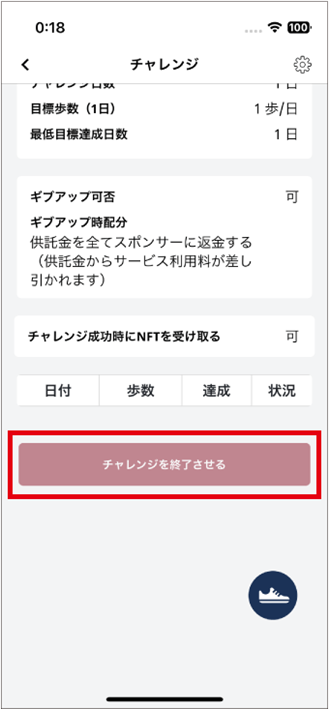
The Sponsor taps “Finish challenge” from the challenge detail screen to end it.
-
If the confirmation screen shows a network fee, review it before submitting the end action.
-
Check the current deadline shown on the challenge detail screen or in the notification. Do not rely on a fixed number of days; complete the action with time to spare.
- If an end notice appears for a challenge you sponsor, tap the notification icon.
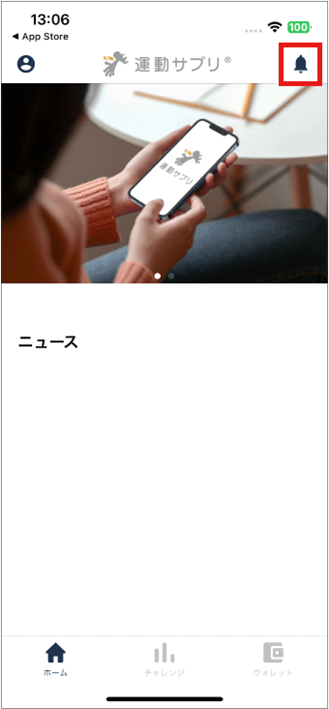
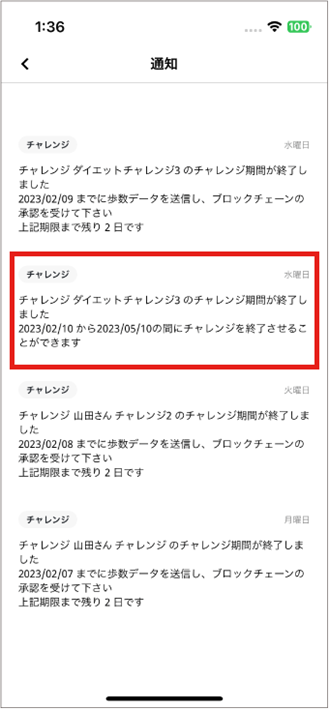
- If an end-of-challenge notice appears, review the deadline shown in it and tap the notification.
-
The challenge detail screen opens.
-
Tap “Finish challenge” to end the challenge.
-
The challenge is finished.
-
After the end action is confirmed on the blockchain, check the challenge screen and wallet for the distribution of challenge funds under the selected settings. Processing time varies with network conditions.