Help / challenge
Import a challenge (Sponsor / Challenger / Receiver)
Import a challenge created on another device and create it on your own device as-is.
Import a challenge created on another device and create it on your own device as-is.
- Tap “Import challenge”.
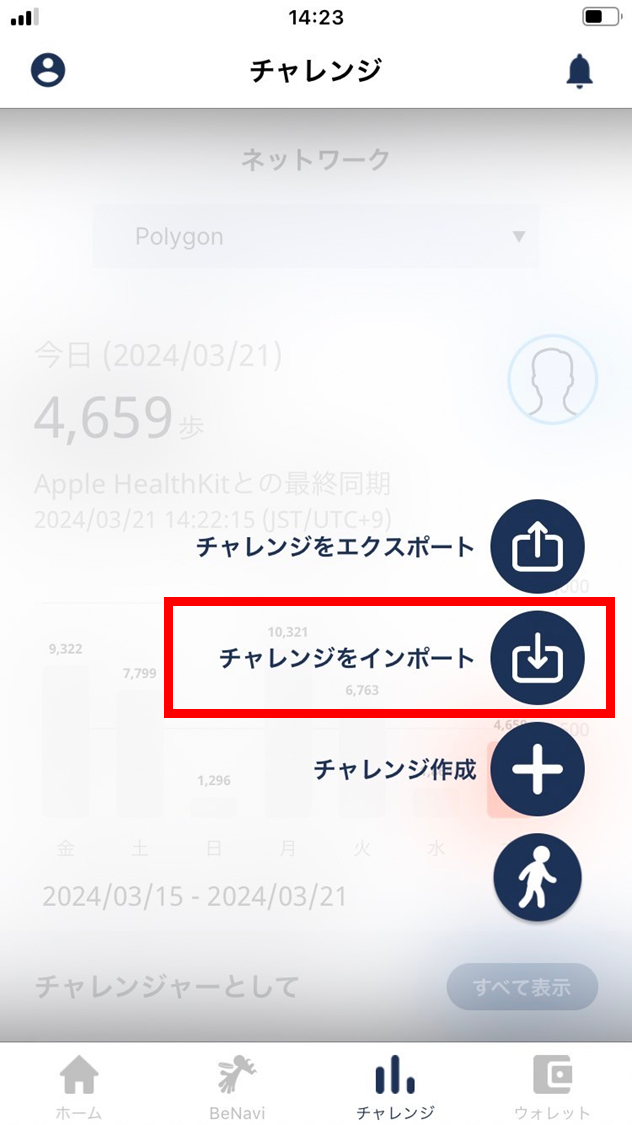
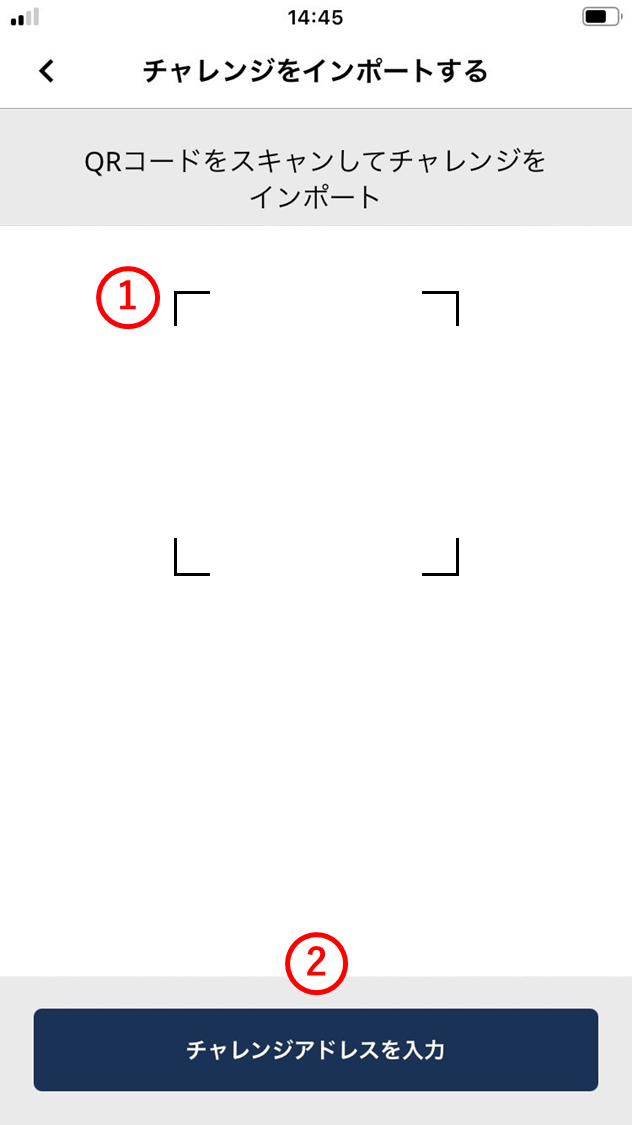
- Scan the exported challenge address with the camera (QR code).
(1) QR code
Read the QR code of the exported challenge address with the camera.
(2) Enter challenge address
Enter the challenge address manually, or paste it.
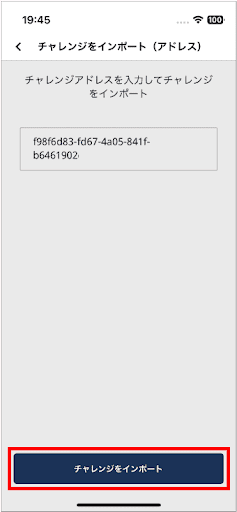
- Once the challenge address is loaded, tap “Import challenge”.
The challenge details and any caveats are shown.
-
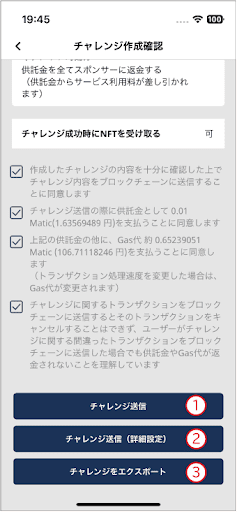
Read the caveats. If you’re fine with them, check all four boxes.
-
Tap one of the following.
(1) Send challenge
Tap to send the challenge to the blockchain as-is. Check the amount that will be sent, then tap.
(2) Send challenge (advanced)
Tap to send while adjusting the gas price.
(3) Export challenge
Tap to export the challenge to another device.