Help / settings
My address
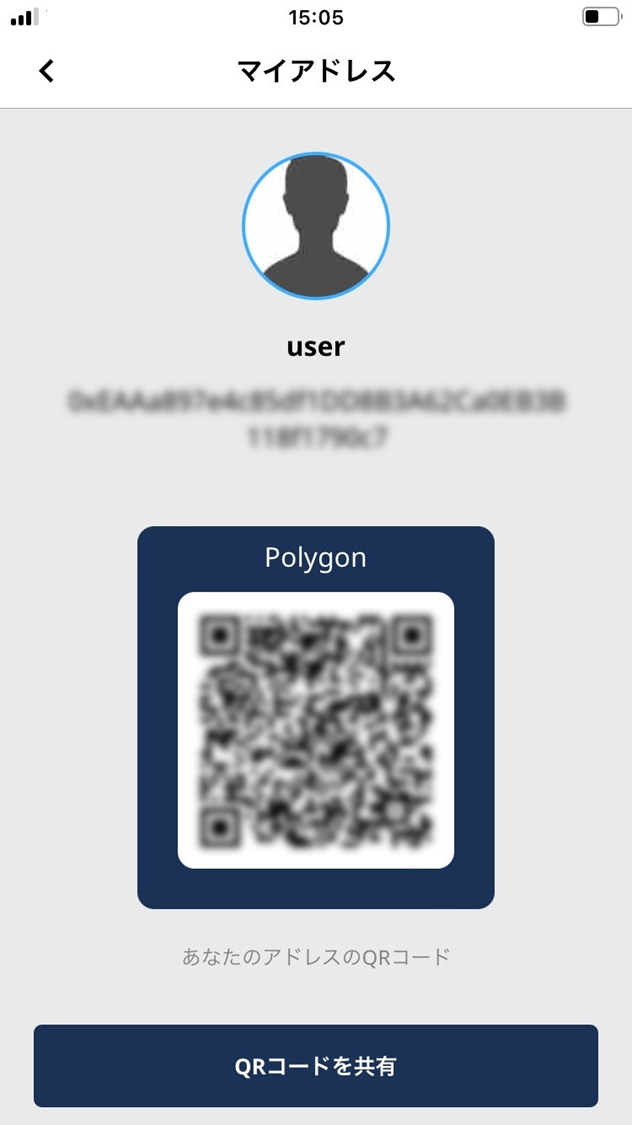
Shows the wallet address ESPL uses on the blockchain network.
-
Shows the wallet address ESPL uses on the blockchain network.
-
Use the wallet to send and receive crypto-assets and tokens.
- Tap “My address”.
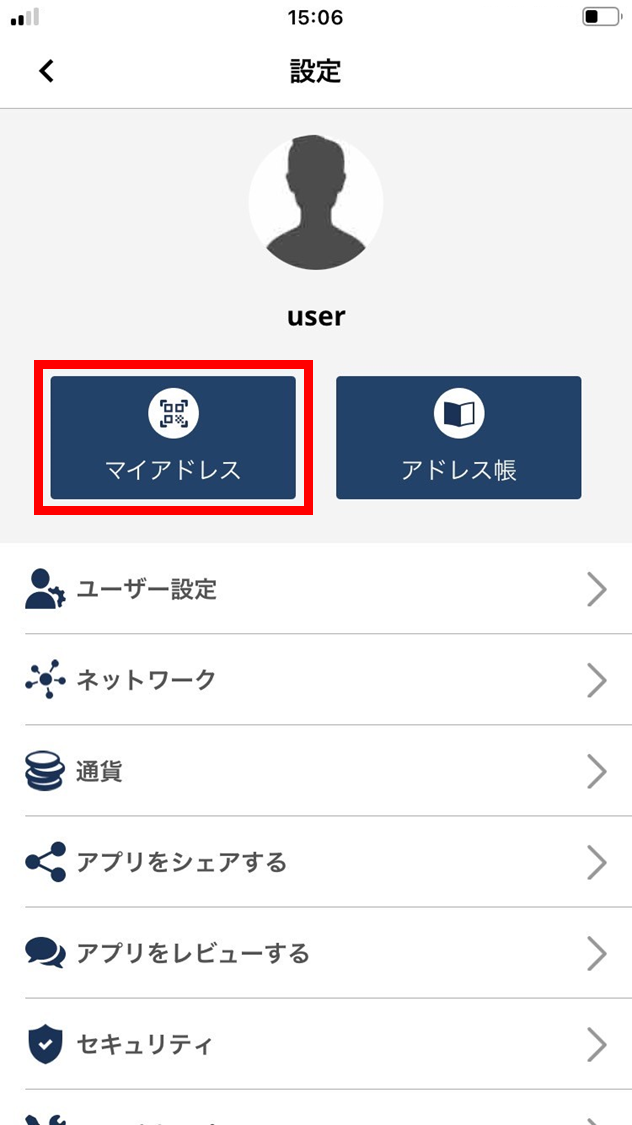
- The wallet address is shown.
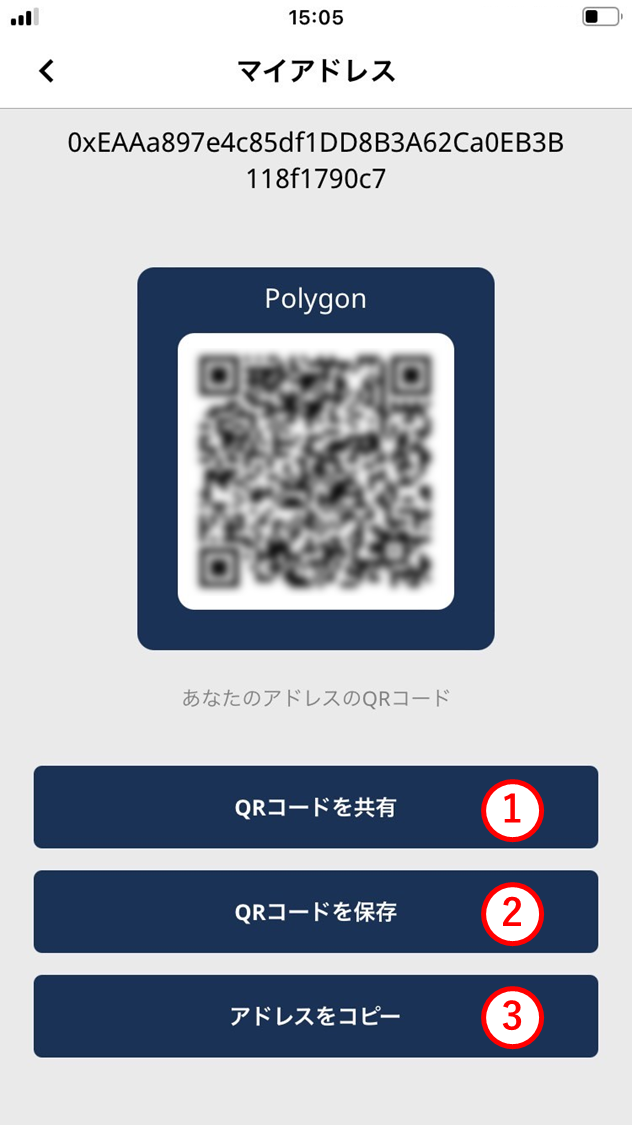
Your wallet address is displayed as a QR code. The sender / recipient can scan it to send or receive crypto-assets and tokens.
(1) Share QR code
Use this to share your wallet-address QR code with another person. Tap to pick AirDrop, email, SMS, or mail.
(2) Save QR code
Save your wallet-address QR code to your phone. Read it later from a saved photo when sending or receiving.
(3) Copy address
Copy your wallet address as text. Tap to copy to the clipboard.