Help / setup
Downloading the app
Install ESPL on your smartphone.
-
Install ESPL on your smartphone.
-
Sign up / log in to ESPL.
On iPhone
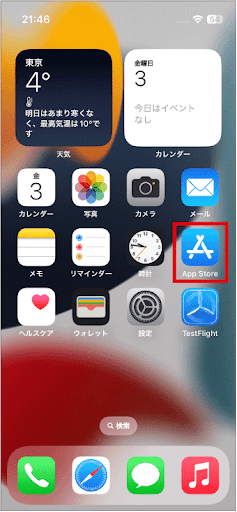
- From the home screen, tap “App Store”.
-
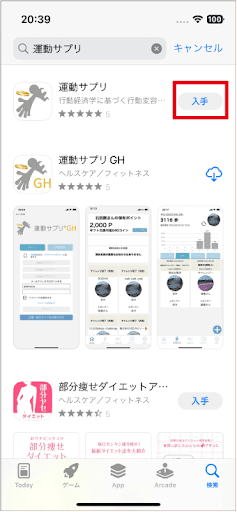
Search for “ESPL” (運動サプリ).
-
Tap “Get”.
The app is installed.
On Android
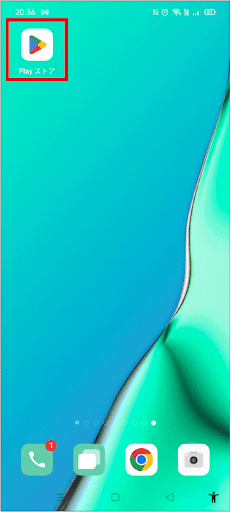
1. From the home screen, tap “Play Store”.
-
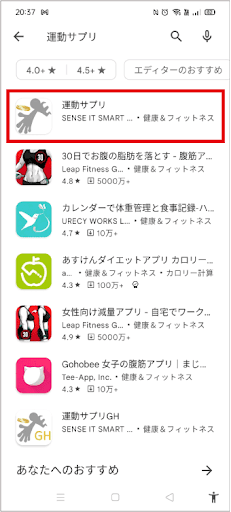
Search for “ESPL” (運動サプリ).
-
Tap “ESPL” (運動サプリ).
The install screen appears.
- Tap “Install”.
The app is installed.