Help / settings
Delete the account
Tap to leave ESPL.
Tap to leave ESPL.
💡 When you leave, all in-app data (including the wallet), the member information on our server, and all challenge information are deleted, and cannot be restored. Assets in the wallet are lost permanently.
That said, if you have a backup of the recovery passphrase for the wallet, you may be able to restore the wallet’s assets using MetaMask or another wallet.
The wallet is also used to sign transactions sent to the blockchain. Once the wallet is deleted, you can no longer send any transaction — step data, give-up, end-of-challenge — to the blockchain. You can’t advance or end an in-progress challenge, and the commitment deposit held by the smart contract can no longer be withdrawn.
Before leaving, make sure there are no in-progress challenges in which you participate as a Sponsor or a Challenger. If give-up is possible, give up; if not, end the challenge as success or miss and withdraw the deposit held by the smart contract. Our team cannot help you retrieve the deposit held by the smart contract.
Before leaving, back up your wallet with the wallet recovery passphrase. The wallet recovery passphrase is a combination of 12 English words, required when restoring the wallet. You can view it under “Settings” → “Security” → “Show passphrase”.
- Tap “Delete the account”.
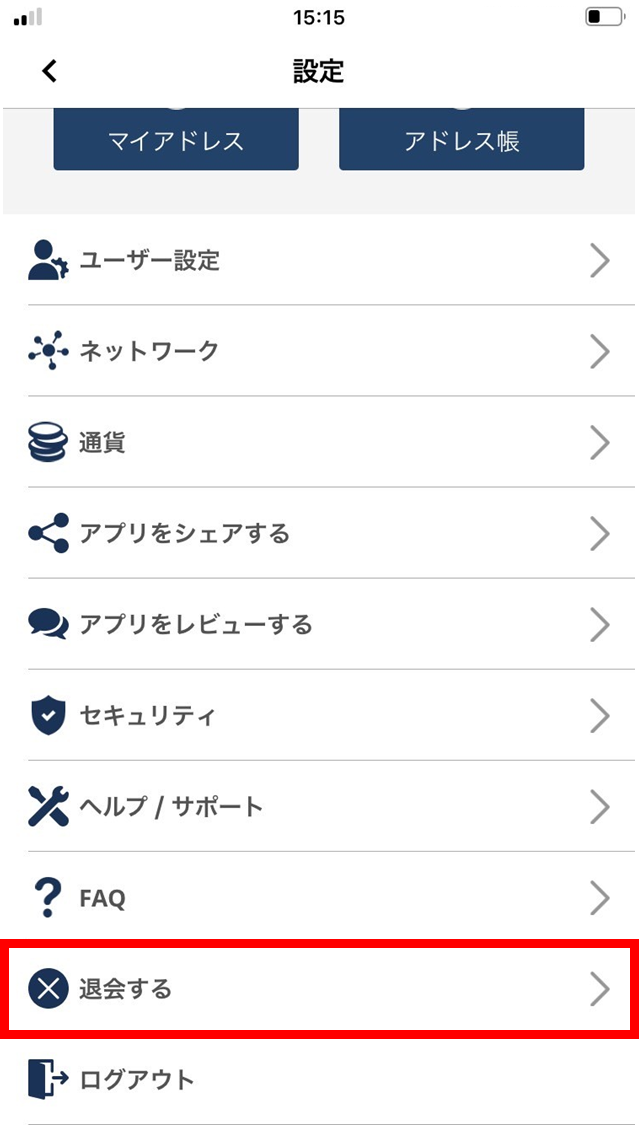
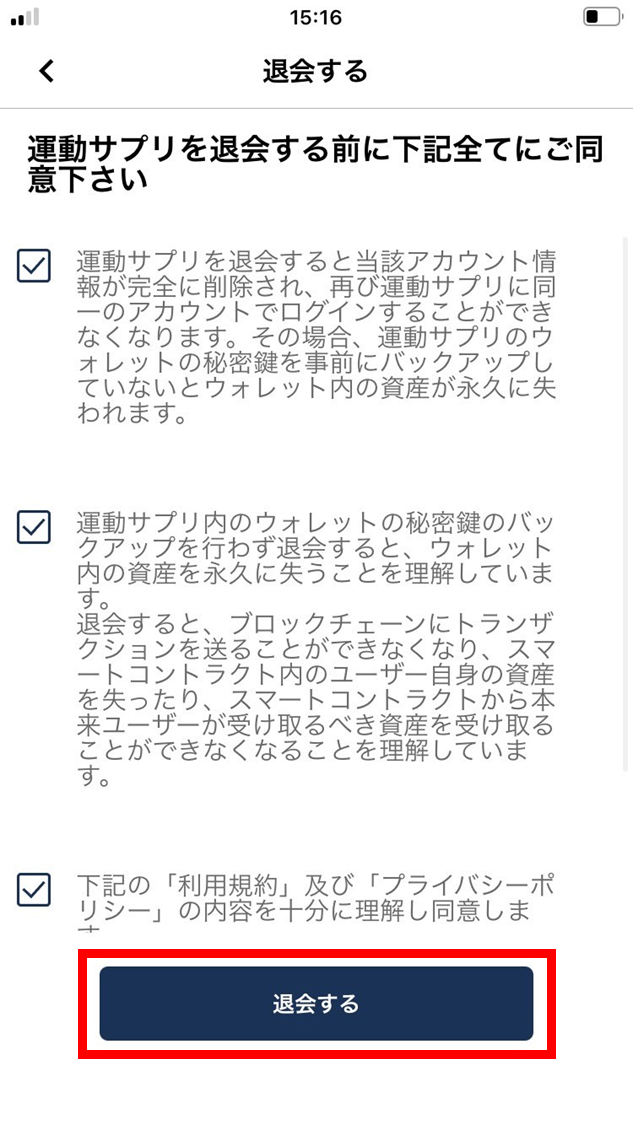
- Read the caveats. If you’re fine with them, tap “Delete the account”.
Confirm that all three checkboxes are checked.
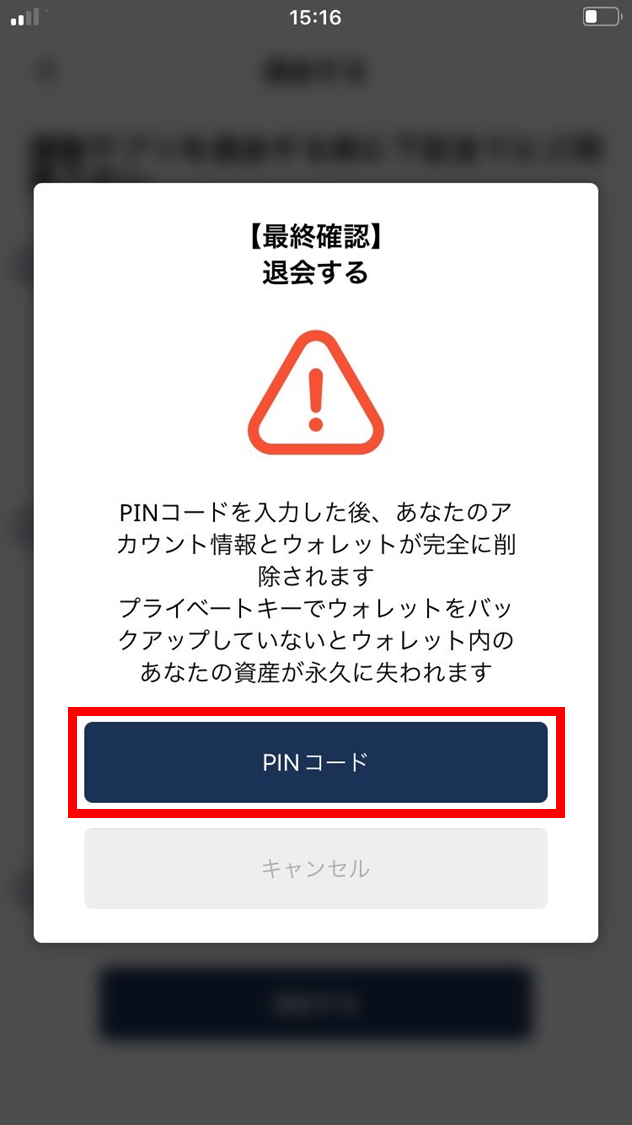
- Read the following. If you agree, tap “PIN”.
Once you enter the PIN, your account information and wallet are deleted permanently.
If you haven’t backed up the wallet with the private key, the assets in the wallet are lost permanently.
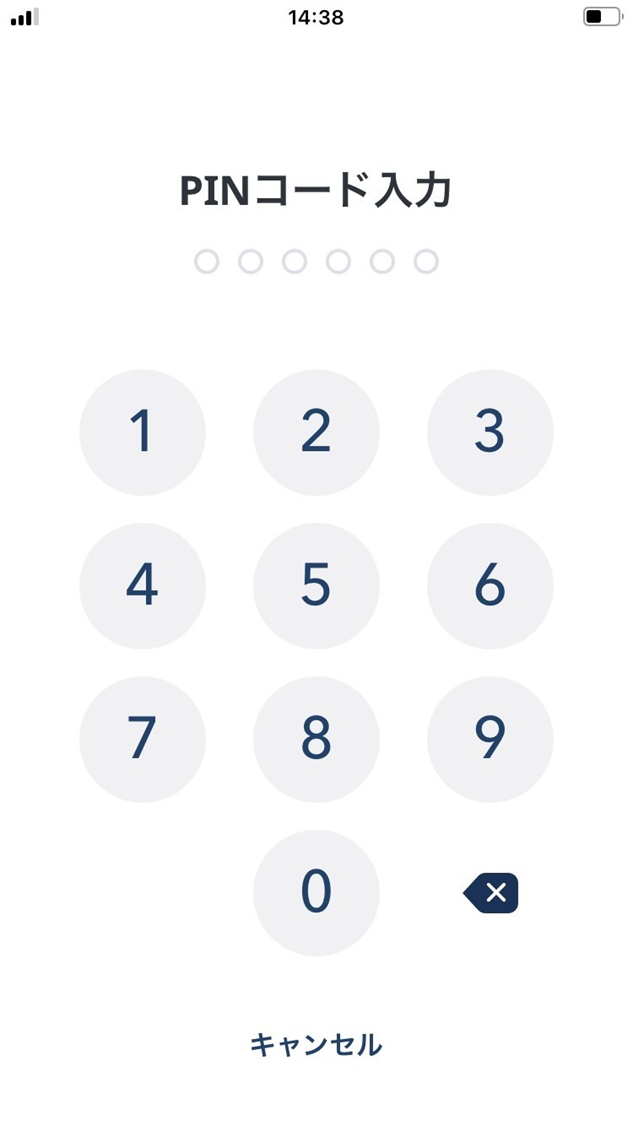
- Enter your PIN.
- Account deletion is complete.