Challenge
What's an ESPL challenge?
A “box” that holds the reason to walk
The core concept of ESPL is the “challenge”.
This page explains the idea and the basic flow at the concept level.
Specific operational steps will be added on dedicated pages over time.
01 / What is it
What's a challenge
An ESPL challenge is a single box that combines a step goal, a period, a sponsorship, and a recipient — the reason to walk made tangible.
Unlike apps that only record steps, the moment you create a challenge, “by when, how many steps, for whom” is settled.
You can run one solo, or build one alongside family and friends.
02 / Flow
The basic flow
A challenge runs through roughly these four steps.
Detailed operational steps will be covered on dedicated pages over time.
-
Create or join a challenge
Decide on a step goal and period, then create your own challenge or join one someone else has created.
-
Stake the sponsorship (if any)
For challenges with a sponsorship, the Sponsor stakes it. The sponsorship and the distribution rules are held on a smart contract.
-
Walk during the period
Steps are pulled from your health data (HealthKit / Google Fit, etc.) and flow into the challenge automatically.
-
Distribute by outcome at the end
On success, the sponsorship goes to the success-case recipient. On a miss, it goes to the failure-case recipient — following the rules set in advance.
03 / Three Roles
The three roles (high level)
A challenge runs on three roles: the Challenger (the walker), the Sponsor (who funds the sponsorship), and the Receiver (who receives it).
-

Challenger
The one who walks
The person who takes on the challenge and aims to meet the step goal. You can set yourself, or someone you want to support — family, a friend, etc.
-

Sponsor
The one who funds the sponsorship
The person who creates the challenge and backs the walker. Sets the step goal, period, sponsorship, and recipients. The Challenger themselves can serve as Sponsor, or it can be a family member or a company.
-

Receiver
The one who receives the sponsorship
The person or organization that receives the sponsorship based on the outcome. Can be the walker, family, friends, or a charity — and you can set different recipients for the success and failure cases.
One person can play more than one role. For example: you sponsor yourself, you walk, and family is the recipient — that's a valid design.
04 / Outcome
How success and miss are handled
When a challenge ends, the sponsorship is distributed according to the outcome.
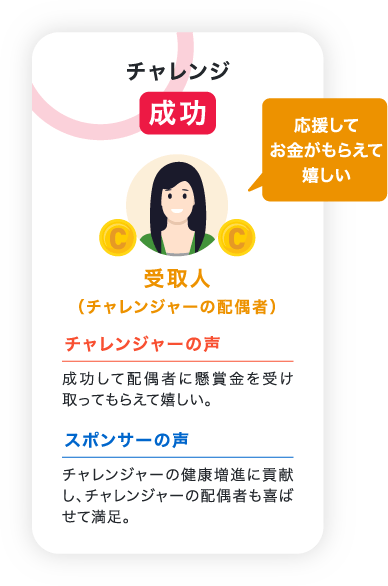
- Success → reaches the pre-set “success-case recipient”
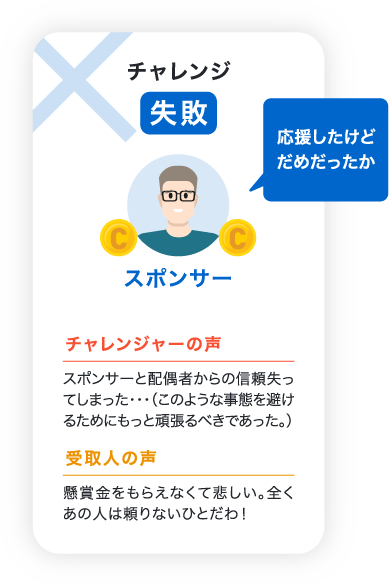
- Miss → reaches the pre-set “failure-case recipient”
In either case, the sponsorship never disappears. It's distributed automatically — without any human in the loop — according to the rules the Sponsor set in advance.
The failure-case recipient is freely configurable: refunded to the Sponsor, sent to a charity, sent to another family member, and so on.
Note: specific operational steps for creating a challenge, joining one, and sending steps will be added on dedicated pages over time.
Next
What to read next
Continue with the thinking behind a challenge, and with JPYC — the unit of sponsorship.
-
Mechanism
See the mechanism
The three behavioral-economics levers, the patent and IDOM, and the role of JPYC and the blockchain — the whole mechanism behind ESPL.
See details -
JPYC
See JPYC
JPYC as a unit of sponsorship and distribution — including gas fees — for first-time readers.
See details -
Hub
Back to the hub
Return to the how-to-use hub for downloads, initial setup, and per-category entry points.
See details